vbeatner®
Let’s connect ↗
VBEATNER / GUIDE

How to use the website

This guide shows step by step how to listen to music, find it and save it for yourself. For quick answers see the FAQ.

1. Listen to music

Open the catalogue and press play on the left of a row. The player at the bottom has pause, previous and next, shuffle, repeat, volume and progress. Click the waveform to jump to a point.
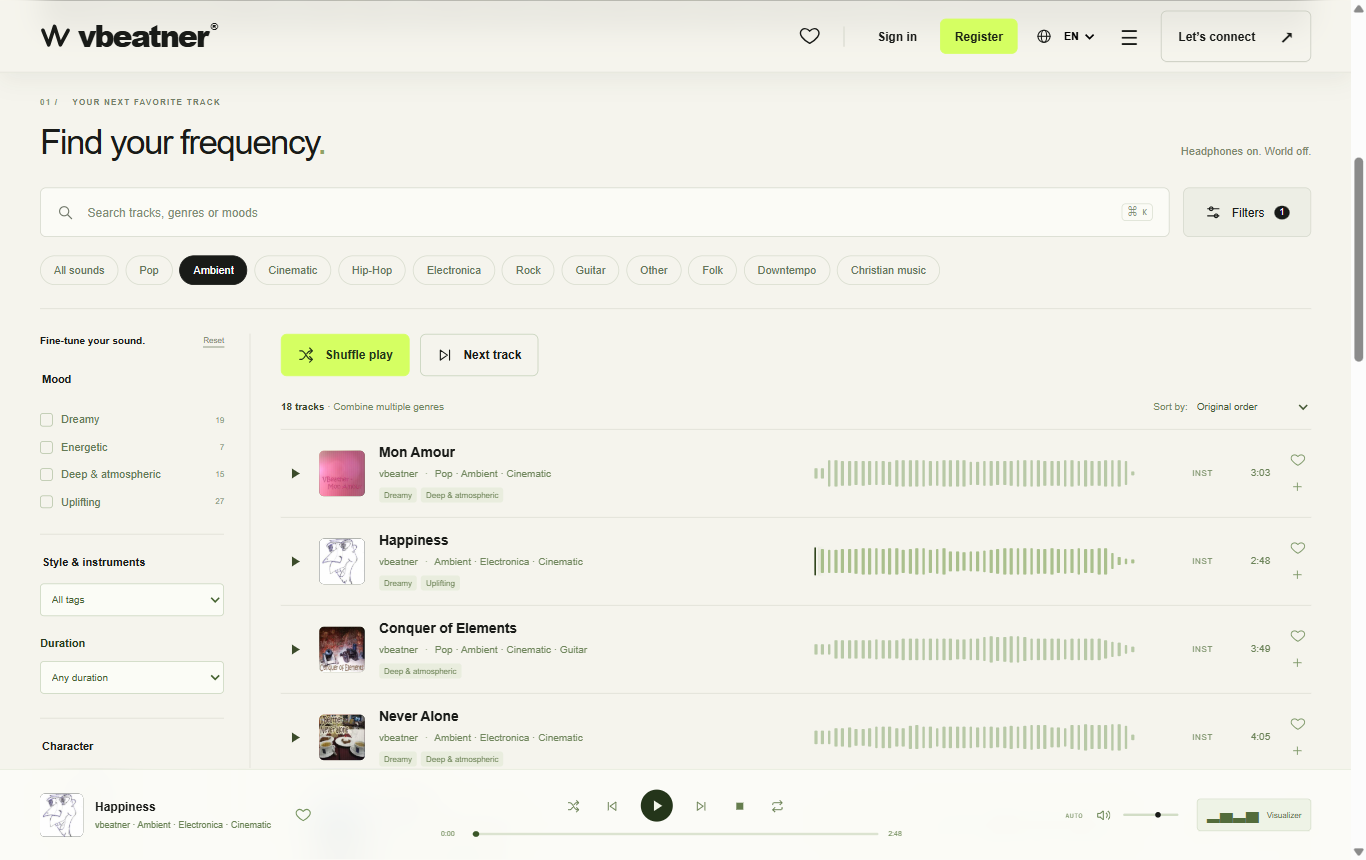
Catalogue with filters and track list

2. Find and sort

Pick one or more genres at the top, open "Filters" for mood, style, duration and character, and use search (Ctrl/⌘ + K). Next to "Sort by:" set the order.

3. The player

Playback follows the visible list. "Shuffle play" mixes it, "Repeat track" repeats the current track, and the visualizer shows the sound in motion.

The player at the bottom

4. Create an account

Press the heart or "+" on a track. The sign-up window opens: e-mail, password (at least 8 characters), optional name and consent to the privacy policy. The newsletter option is optional. You do not need an account to listen.
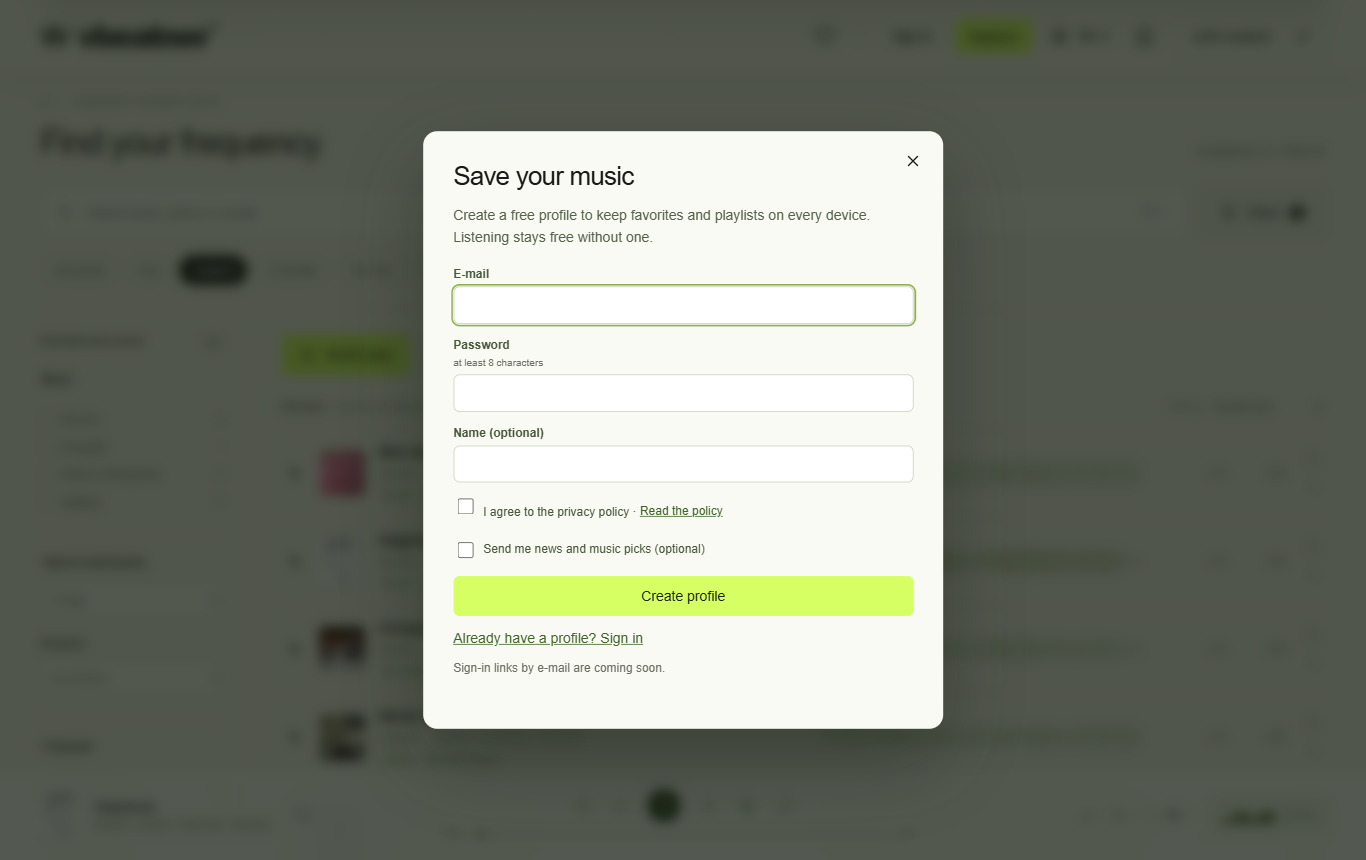
Sign-up window
Sign-up window

5. Favorites and playlists

The heart saves a favorite, "+" adds the track to a playlist or creates a new one. In your account (avatar at the top right) you can rename and delete playlists, reorder them by drag and drop and play them. Playlists are private.
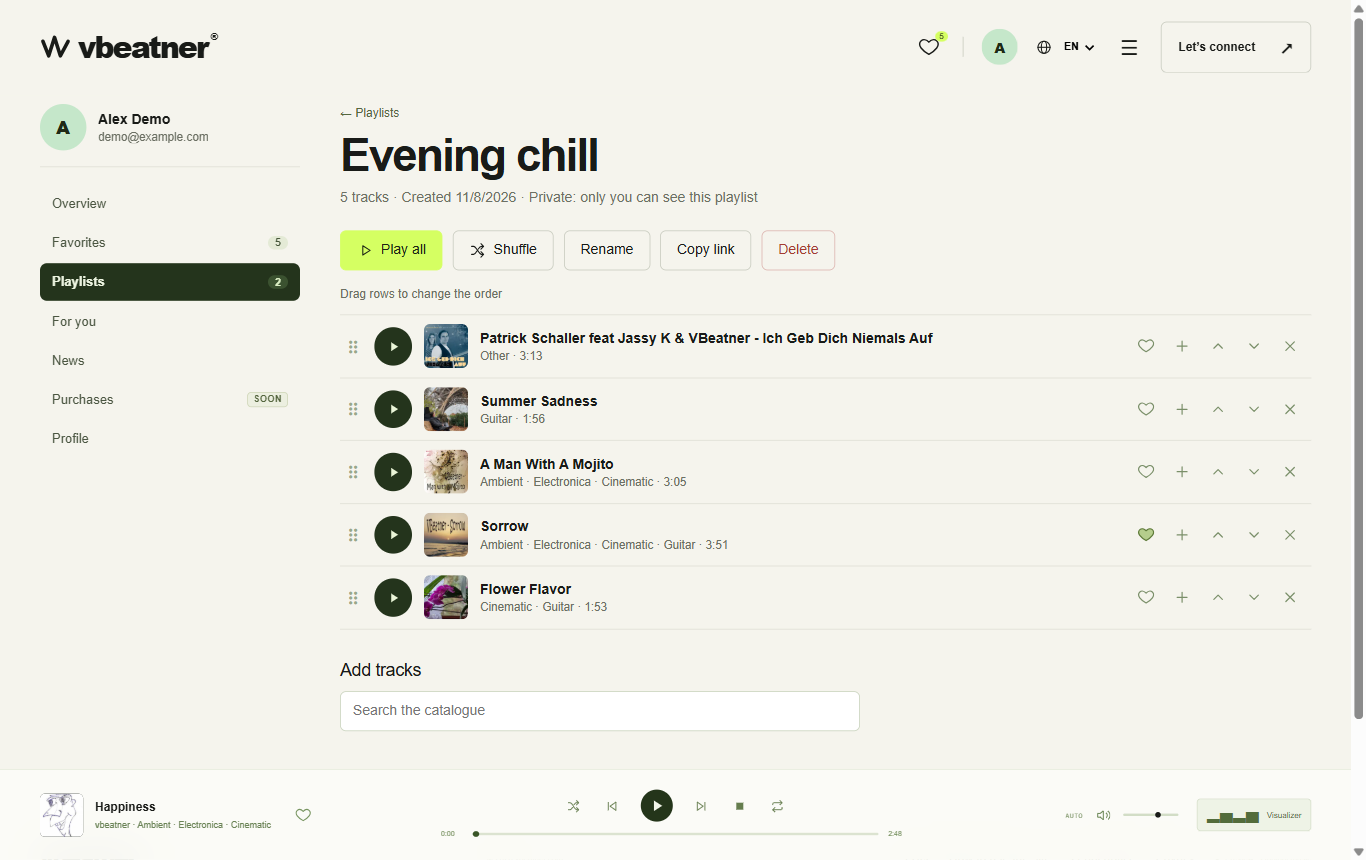
A playlist in your account

6. For you

Hashtags and suggestions are built from your favorites. Click a hashtag to see matching tracks and save them as a playlist.
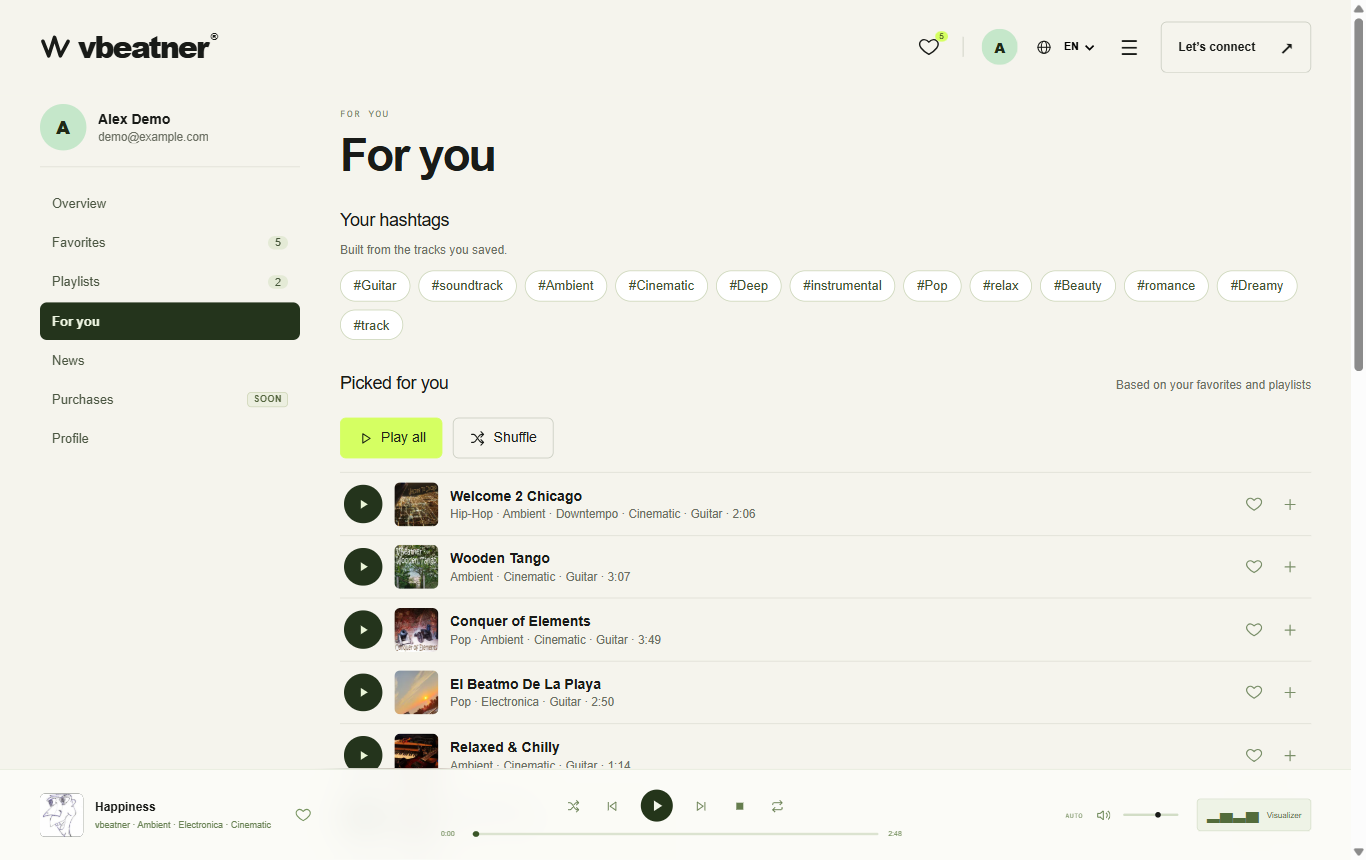
Recommendations in your account

7. Profile and security

Under "Profile" change your name and password, download your data or delete your account. Under "News" switch the newsletter on or off.

8. Contact and licences

For questions, projects or a licence use the contact form ("Let's connect"). E-mail, phone and message are required.
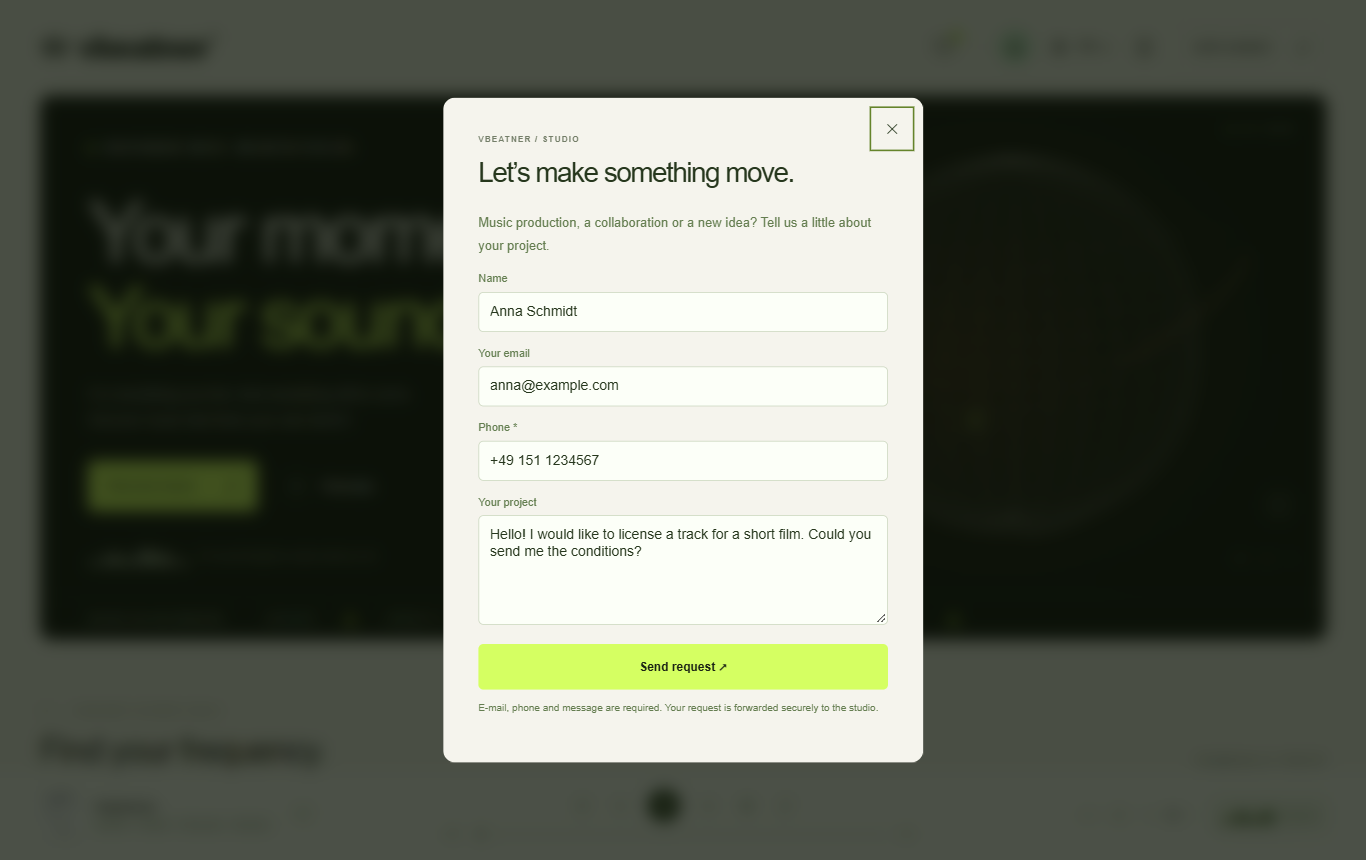
Contact form
Contact form

9. On a smartphone

Everything works on mobile: menu via ☰, account via the profile icon, filters via the "Filters" button.
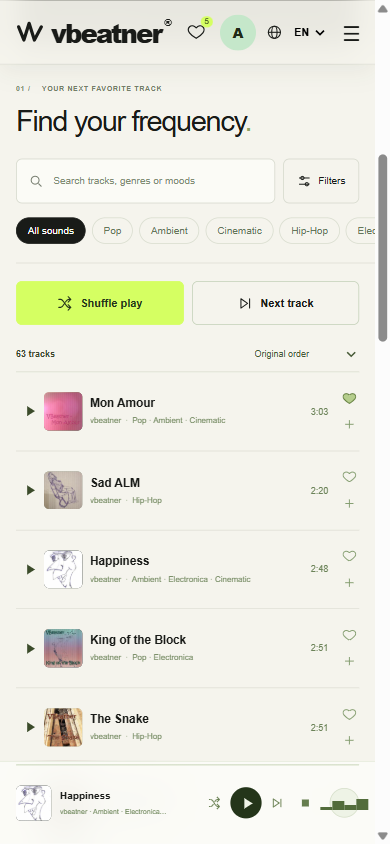
The website on a smartphone
To the catalogue ↗
INDEPENDENT MUSIC. UNLIMITED FEELING.

Your moment.
Your sound.

For everything you feel. And everything still to come.
Discover music that finds your own rhythm.

Discover music ↗
▂▅▃▇▅▂From quiet thoughts to nights turned up loud.
VISUAL SOUND EXPERIENCE LIVE CANVAS
+01 / ORBIT
FEEL THE FREQUENCY
Drag. Rotate. Immerse yourself.48° · 12′ · ∞
SOUND HAS NO BORDERS.AMBIENT ✳ CINEMATIC ✳ GUITAR ✳ ROCK ✳ SONGS ✳ ELECTRONICA ✳
01 /YOUR NEXT FAVORITE TRACK

Find your frequency.

Headphones on. World off.
⌘ K
Original music by vbeatner
02 /LESS SEARCHING. MORE FEELING.

Where will sound take you?

All sound worlds ↗
03 /YOUR IDEA. OUR NEXT SOUND.

From an idea to a sound.

VBEATNER / STUDIO
01 / REC

Recording

Space for your music. Recording for instruments, songs and new ideas.

02 / MIX

Production & mixing

Individual tracks become a sound. Arrangement, editing and mixing.

03 / VOX

Vocal production

Your voice takes center stage. Recording, editing and the finishing touches.

More about the studio ↗
THE HUMAN BEHIND THE FREQUENCY.

A mind full of music.
A place for your sound.

vbeatner is an independent music project. Electronic textures, organic details and the freedom to follow your own feeling.

FIND YOUR
FREQUENCY.
vbeatnerOriginalmusik
AUTO · 128K
vbeatner®SOUND IN MOTION
Drag. Rotate. Immerse yourself.
vbeatnervbeatner · STREAM